RUNAWAYS Roblox RUNAWAYS Private Servers Explained
VIP servers are off by design — here is how to play with friends safely anyway.
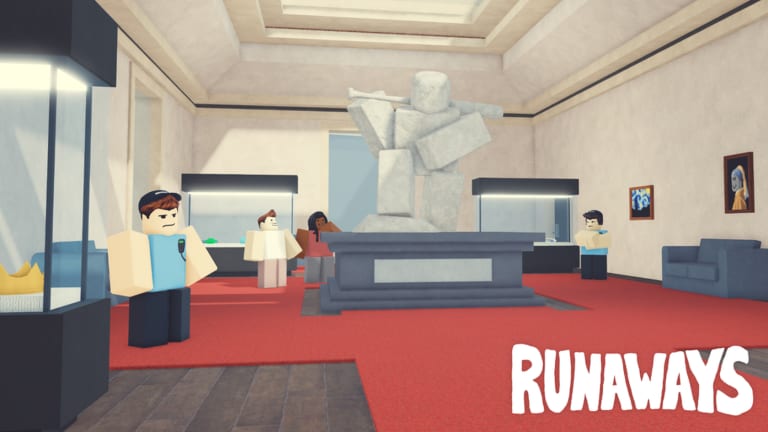
VIP / private servers are not allowed in RUNAWAYS [beta] by supercat games. This is published on the experience listing and confirmed across public listings (place 118418618261207, universe 7585140258). If a stranger DMs you a “private server” invite promising free cash or special loot, treat it as a scam — the feature does not exist for normal players, and the invite is bait for account theft or executor push attacks.
This page teaches how to actually play with friends inside the experience without falling for private-server scams. If you are brand new, start with Getting Started and Play with Friends first.
Why VIP servers are off here
supercat games disables VIP servers on purpose for this Roblox experience. Several reasons:
- The core fantasy depends on a full 50-player server with contested pawn lines, police heat, and crew tension.
- Private economy exploits (god tools, infinite cash, drop-only loot) become trivial in isolated lobbies, which ruins leaderboard integrity.
- Badge progression — including Welcome, Kansas/Oklahoma/Texas checkpoints, International Fugitive, Hardened Criminal, High Roller, and Anger Management — would lose meaning if isolated servers could farm them freely.
If a third-party page promises VIP access for Robux, it is fake. The toggle genuinely does not appear on the place page.
How to actually play with friends
You do not need a private server to squad up. Use the standard Roblox flow:
- Friend each other on Roblox (or via the in-game friends list).
- Join RUNAWAYS normally from the official place page.
- Ask your friend to Join in the in-game friends list and select your server.
- If your current server is full, one of you re-rolls until you land in a calm lobby that fits both inventories.
- Coordinate outside the game (Discord, party chat) for crew calls and abort decisions.
Set up roles using Crew Roles before the first punch. A two-player crew that briefs before the loadout avoids wiping together on a contested vault.
”Private server” scams to ignore
Whenever the game trends, scam energy multiplies. Common private-server bait patterns:
- Discord DMs saying “join my server for free 1M CREDZ”
- YouTube comments offering “VIP links” that route to executor downloads
- Roblox profile comments linking “admin tools” that require your password
- Survey funnels that promise a private-server code after completing offers
- Fake “supercat staff” badges that ask you to verify account details
None of these are real. They all lead to account theft, executor malware, or both. Real RUNAWAYS staff will never DM you a private-server invite because private servers are not allowed.
For a broader list of scam patterns, see the verification workflow in Active Codes.
Friends-list join etiquette
Even legitimate friends-list join has etiquette on a 50-player server:
- Do not crash into a friend’s robbery mid-action — let them clear the loot before you bunch up.
- If you both want the same pawn, take turns or split zones; double-pawning is what turns crews into targets.
- For vault runs, one of you owns the breaker, the other owns the exit watch.
- Border pushes need a shared Escape Checklist pass before either commits.
Read Crowded Servers for full etiquette and abort discipline.
Playing with cross-platform friends
RUNAWAYS runs on PC, mobile (Click/Touch), and console. The Roblox friends list works across platforms, so:
- Mobile player? Read Mobile Tips before joining a crew push.
- Console player? Same controls apply, but UI prompts are smaller; rehearse Controls solo first.
- Mixed crew? Agree on who calls disengage — usually the player with the calmest screen view, not the loudest mic.
If voice chat is awkward across platforms, fall back to in-game quick chat plus a third-party Discord channel.
What to do if a “private server” already stole your session
If you followed a fake invite, ran an executor, or pasted a token into a sketchy site:
- Change your Roblox password immediately.
- Enable two-step verification on your account.
- Check the Authorized Devices list in account settings; revoke anything you do not recognize.
- Email Roblox support if you see unauthorized Robux purchases.
- Tell the friend who invited you — they were probably scammed too.
Recovering from account theft is faster than recovering from a wiped inventory, so act quickly.
How wiki pages stay honest about this
We do not invent VIP server tricks, executor combos, or private-lobby shortcuts. If a future patch enables VIP servers, this page will say so plainly. Until then, the only safe path to playing with friends is the standard Roblox friends-list join. See Links Hub for the official place page link.
Alternative: casual public lobbies
If your friends are not online, you can still get most of the crew vibe by:
- Hopping public servers until you find a calm one.
- Joining crew-style calls in the supercat games group wall.
- Following content creators who play public lobbies and read chat for crew invites.
Never pay for crew access. The wiki never will, and supercat games does not sell it.
Related
Play with friends using real Roblox tools, ignore VIP-server bait, and protect your account like the loot it is.
Frequently Asked Questions
Quick answers for RUNAWAYS heists, escapes, and gear.
Can I buy a private server in RUNAWAYS?
No. VIP servers are not allowed on this experience by design. Any offer selling private-server access is a scam.
How do I join my friend in-game?
Use the standard Roblox friends-list join from inside the experience. If your current server is full, one of you re-rolls into a calmer lobby.
Is a Discord invite the same as a private server?
No. Discord is just a voice/coordination tool. RUNAWAYS still runs on public 50-player servers; Discord does not grant any private access.
Will private servers ever be enabled?
We do not invent roadmap promises. This page updates the same day supercat games changes the VIP server toggle on the official place page.